Volumetric
Open a vol_*.json preset or choose one in the toolbar. Inspector controls appear only when they affect the current setup; for example, disabled Noise and Shredding passes hide their detail controls.
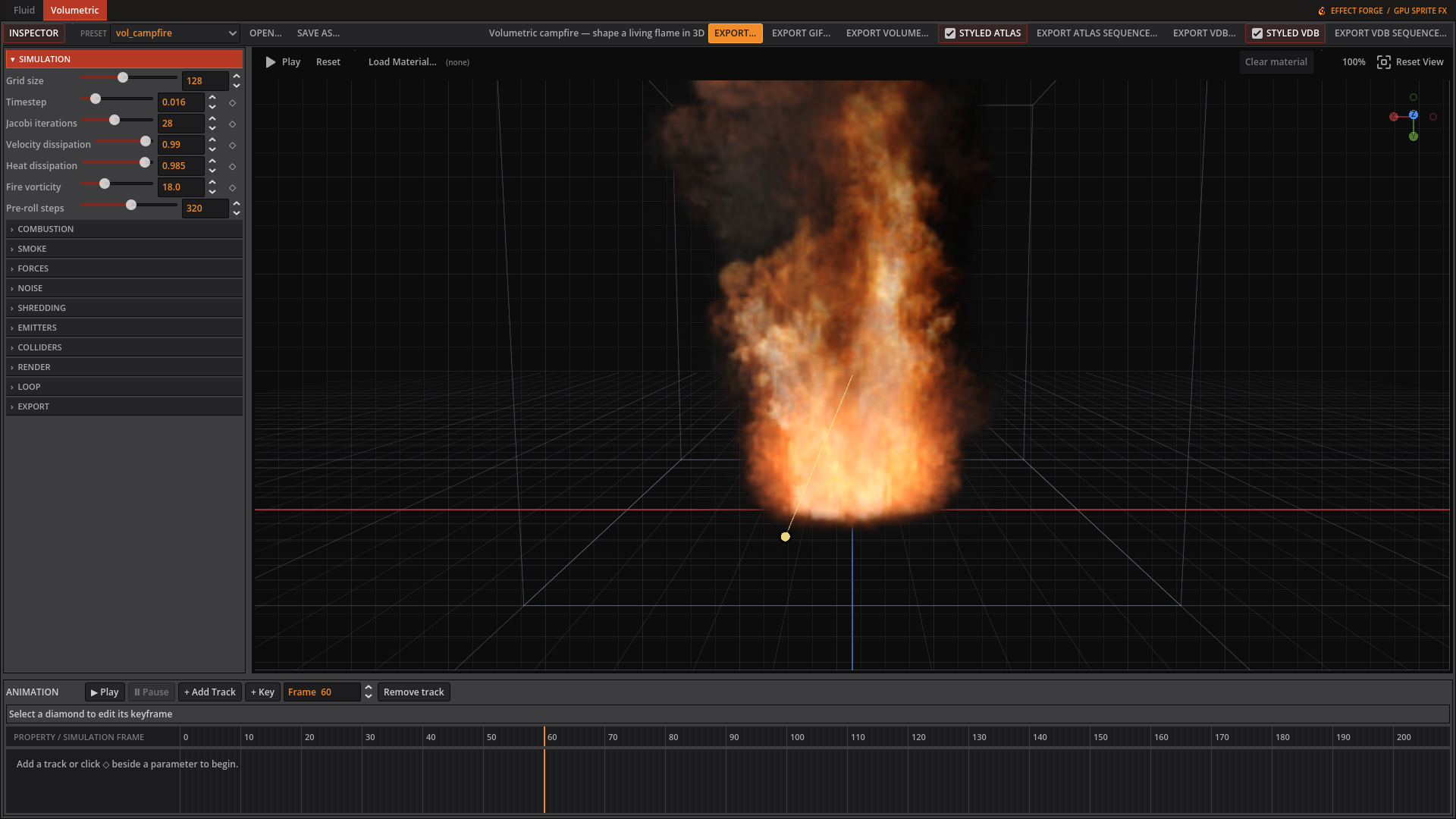 The Volumetric workspace shows Simulation controls beside the preview, with animation tracks below.
Volumetric examples in motion

Explosion: shape the blast, combustion, smoke, and lighting.
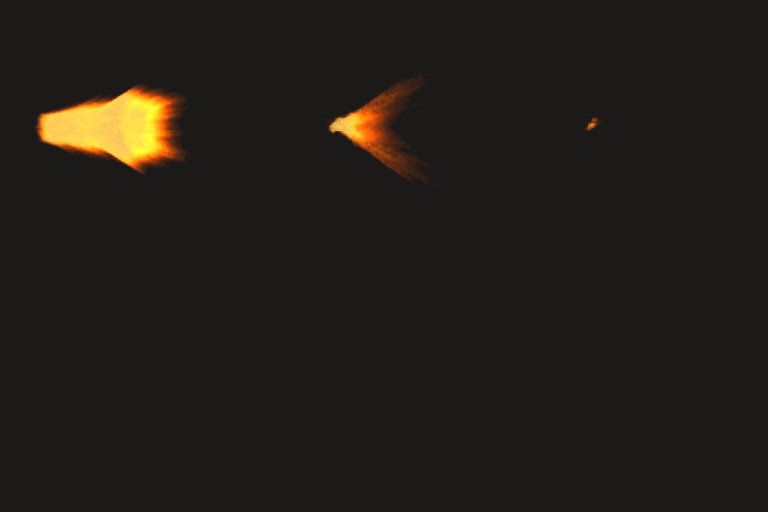
Rifle muzzle flash: the weapon presets also include handgun, repeating machine-gun, and rocket effects.
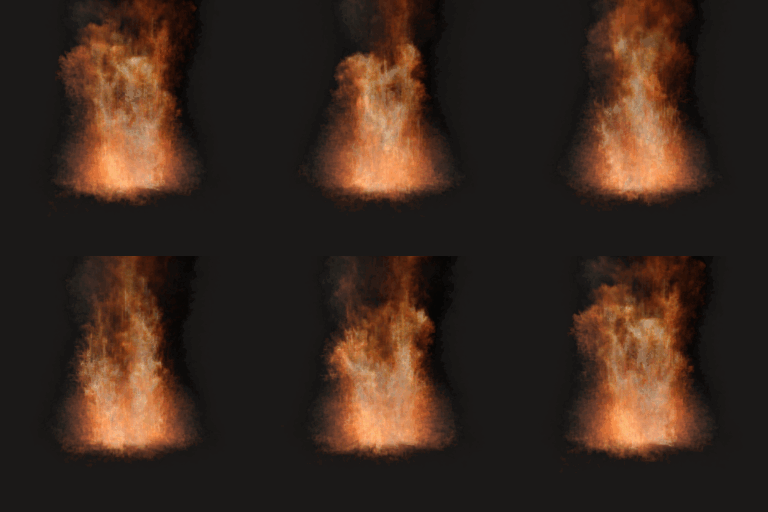
Campfire: tune a continuous flame with fuel, temperature, vorticity, and fire-color gradients.
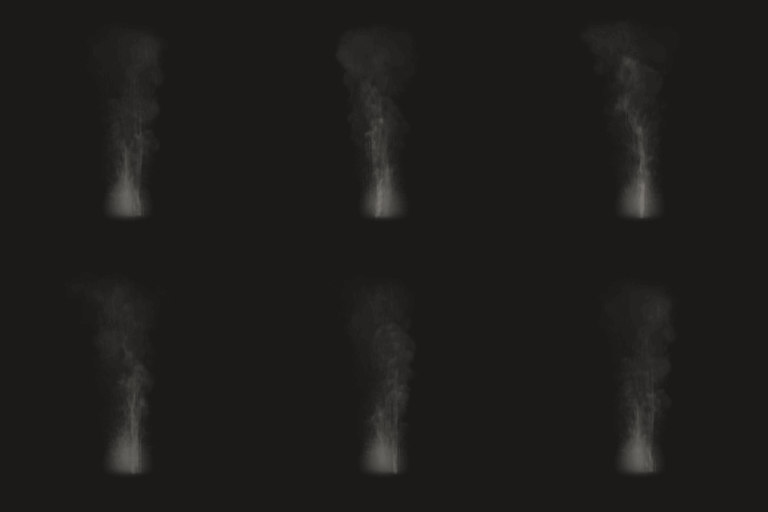
Smoke plume: tune density, dissipation, color, and lighting independently from fire.
Simulation
| Control | Inspector hint |
|---|---|
| Grid size | Voxels per axis. Cost grows with the cube, and this reallocates GPU textures. |
| Timestep | Seconds of simulated time per frame. Larger moves fluid faster but is less stable. |
| Jacobi iterations | Pressure solver passes per frame. Higher holds the gas together better; lower is faster. |
| Velocity dissipation | How much motion survives each frame. Below 1 the gas gradually slows. |
| Heat dissipation | How fast heat bleeds away. Lower makes flames shorter. |
| Fire vorticity | Swirl in hot, burning gas. This is what gives fire its curl. |
| Pre-roll steps | Steps simulated before the first captured frame, so a continuous effect is already burning when the sheet starts instead of showing its own ignition. Leave at 0 for a burst, which wants its beginning. |
Combustion
| Control | Inspector hint |
|---|---|
| Ignition temperature | How hot a cell must be before its fuel starts burning. |
| Burn rate | Fraction of remaining fuel consumed per second once lit. |
| Heat release | Temperature produced per unit of fuel burned. Drives flame brightness and lift. |
| Cooling rate | How fast a cell falls back toward ambient temperature. |
| Gas expansion | How hard burning gas pushes outward. This is what makes an explosion blow rather than glow. |
Smoke
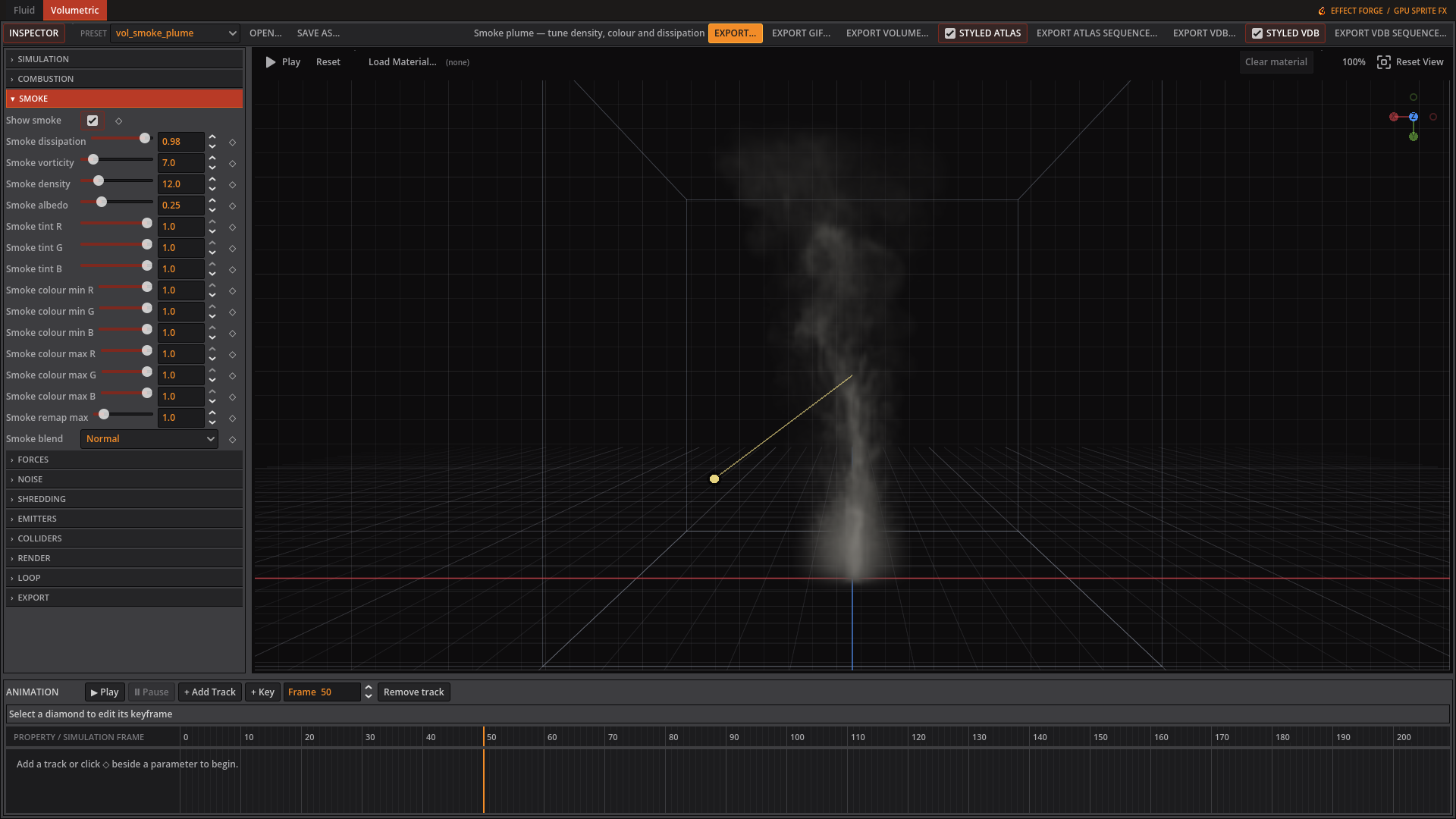 The Smoke tab controls the plume’s persistence, colour, and light scattering.
| Control | Inspector hint |
|---|---|
| Show smoke | Hide the smoke to keep only the fire. Styled exports follow; raw exports keep the simulated smoke. |
| Smoke dissipation | How long smoke lingers. Lower clears the plume sooner. |
| Smoke vorticity | Swirl in cooled smoke. Usually lower than fire, or the plume looks noisy. |
| Smoke yield | Smoke produced per unit of fuel burned. Zero gives a clean flame. |
| Smoke density | How quickly smoke blocks light. Higher is denser and more opaque. |
| Smoke albedo | How much light smoke scatters back. Higher reads as steam, lower as soot. |
| Smoke tint R | Colour of the smoke itself, multiplied into the scattering albedo. White is neutral. |
| Smoke tint G | Colour of the smoke itself, multiplied into the scattering albedo. White is neutral. |
| Smoke tint B | Colour of the smoke itself, multiplied into the scattering albedo. White is neutral. |
| Smoke colour min R | Smoke colour at zero density; white leaves scattering unchanged. |
| Smoke colour min G | Smoke colour at zero density; white leaves scattering unchanged. |
| Smoke colour min B | Smoke colour at zero density; white leaves scattering unchanged. |
| Smoke colour max R | Smoke colour at the remap maximum; white leaves scattering unchanged. |
| Smoke colour max G | Smoke colour at the remap maximum; white leaves scattering unchanged. |
| Smoke colour max B | Smoke colour at the remap maximum; white leaves scattering unchanged. |
| Smoke remap max | Smoke density that reaches the maximum smoke colour. |
| Smoke blend | How smoke colour combines with fire colour where both are present. Smoke away from the flame is unaffected by this. |
Forces
| Control | Inspector hint |
|---|---|
| Buoyancy | How strongly hot gas rises. |
| Ambient temperature | The temperature gas cools toward, and the level buoyancy measures against. |
| Gravity X | Constant acceleration along X. |
| Gravity Y | Constant acceleration along Y. Positive is downward on screen. |
| Gravity Z | Constant acceleration along Z. |
| Wind X | Steady drift along X. |
| Wind Y | Steady drift along Y. |
| Wind Z | Steady drift along Z. |
Noise
| Control | Inspector hint |
|---|---|
| Noise amplitude | Strength of the curl-noise force. This is what breaks a burst out of a smooth sphere — the solver has no other way to create swirl from a symmetric start. Zero disables the pass entirely. |
| Noise scale | Noise periods across the domain. Higher is finer detail. Note this is relative to the whole domain, not to the effect, so a small effect needs a high value. |
| Octaves | Layers of noise at successively finer scales. More octaves is more detail and proportionally more cost per voxel. |
| Lacunarity | How much finer each octave is than the last. |
| Gain | How much each successive octave contributes. Lower keeps the large scales dominant. |
| Animation speed | How fast the noise field drifts. Driven by simulated time, so it stays deterministic. |
| Temperature mask | How strongly the force follows temperature. At 1 only hot cells are stirred; at 0 temperature is ignored. |
| Smoke mask | How strongly the force follows smoke. At 1 empty air is left still, which is usually what you want. |
| Temp range min | Temperature that maps to no amplification. In this solver’s units, which are of order 1-10, NOT Kelvin. |
| Temp range max | Temperature that maps to full amplification. Set this near the hot end your sim actually reaches; too high and the mask throttles the force to nothing. |
| Smoke range min | Smoke density that maps to no amplification. |
| Smoke range max | Smoke density that maps to full amplification. Same caution as the temperature range: set it to the density your sim reaches. |
Shredding
| Control | Inspector hint |
|---|---|
| Shred intensity | Tears the flame front into filaments. Zero disables the pass. Off in the EmberGen reference explosion, so treat it as a flourish rather than the thing that makes fire look right. |
| Temperature threshold | The temperature shredding acts at. Set it where your flame front sits. |
| Threshold width | How far either side of the threshold shredding reaches. Wider affects more of the plume, narrower only its boundary. |
Emitters
This tab contains an editable list. See below.
Colliders
This tab contains an editable list. See below.
Render
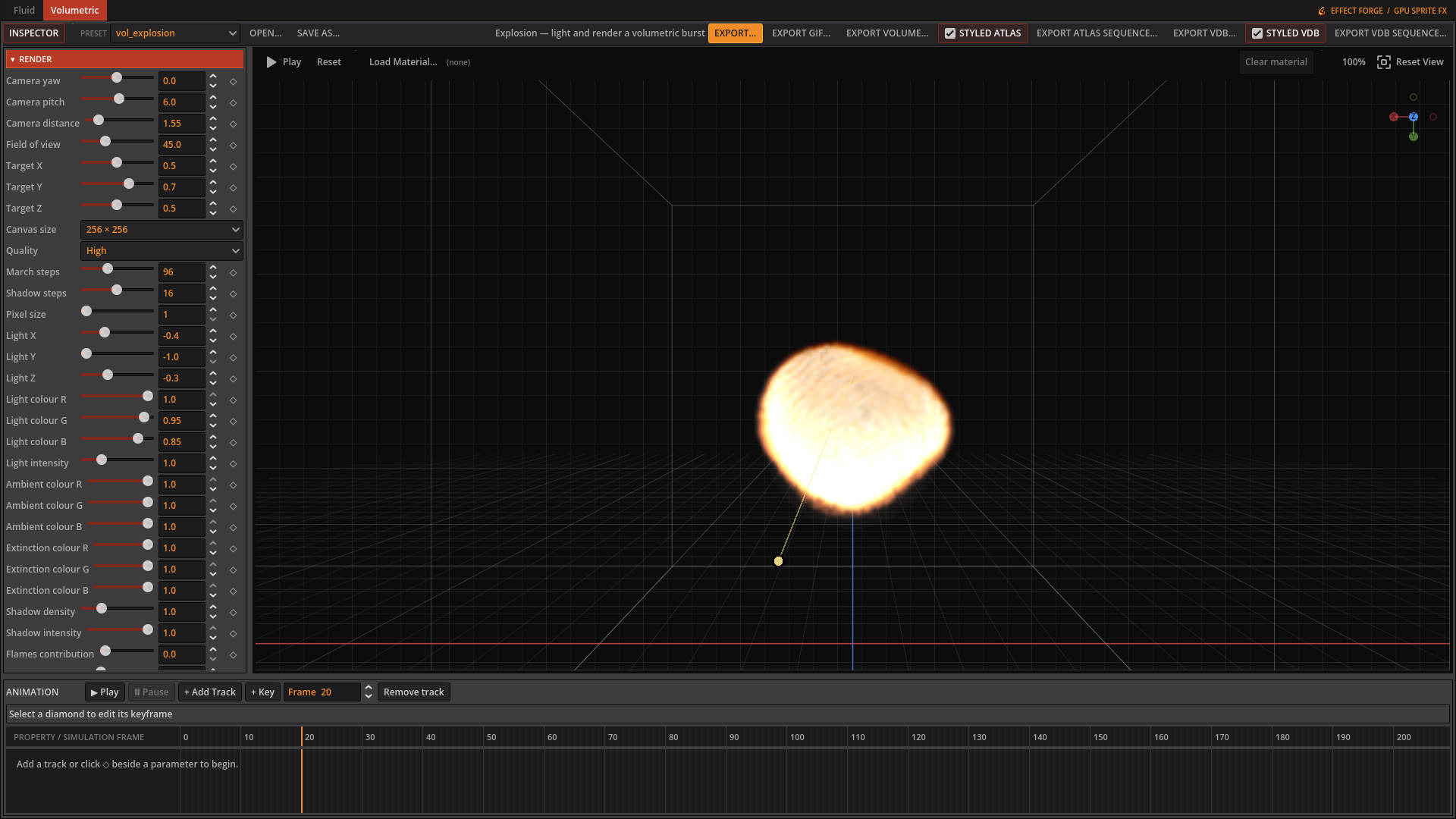 The Render tab adjusts the camera, lighting, and appearance of the explosion preview.
| Control | Inspector hint |
|---|---|
| Camera yaw | Orbit angle around the domain. |
| Camera pitch | Orbit elevation. |
| Camera distance | How far the camera sits from the target. The domain is a unit cube. |
| Field of view | Vertical field of view in degrees. |
| Target X | Point the camera looks at. |
| Target Y | Point the camera looks at. |
| Target Z | Point the camera looks at. |
| Canvas size | Rendered frame size in pixels. Also the exported cell size. |
| Quality | Preset march and shadow step counts. It writes the two sliders below rather than overriding them, so it reads back as Custom whenever they are set by hand. |
| March steps | Samples along each camera ray. Higher is smoother and slower. |
| Shadow steps | Samples in the secondary march toward the light. Zero disables self-shadowing. |
| Pixel size | Retro output: quantises the frame into blocks this many pixels across. 1 is off. Also renders that much faster, since one ray is marched per block. |
| Light X | Direction the light travels. |
| Light Y | Direction the light travels. |
| Light Z | Direction the light travels. Drag the light gizmo in the preview instead of these three, if you just want to aim it. |
| Light colour R | Colour of the light itself, independent of the smoke it’s lighting. |
| Light colour G | Colour of the light itself, independent of the smoke it’s lighting. |
| Light colour B | Colour of the light itself, independent of the smoke it’s lighting. |
| Light intensity | Brightness of the light itself. Separate from Exposure, which scales the whole rendered image afterward. |
| Ambient colour R | Tint of the ambient illumination floor; white is neutral. |
| Ambient colour G | Tint of the ambient illumination floor; white is neutral. |
| Ambient colour B | Tint of the ambient illumination floor; white is neutral. |
| Extinction colour R | Per-channel light absorption through smoke; white absorbs equally. |
| Extinction colour G | Per-channel light absorption through smoke; white absorbs equally. |
| Extinction colour B | Per-channel light absorption through smoke; white absorbs equally. |
| Shadow density | Scales smoke optical depth toward the light; zero removes smoke shadows. |
| Shadow intensity | Mix between unshadowed and fully shadowed lighting. |
| Flames contribution | Adds nearby flame colour to lit smoke; zero disables local flame scattering. |
| Scattering radius | Distance in volume coordinates used to sample nearby flame heat. |
| Emission gain | How brightly hot gas glows. This is the flame itself. |
| Scattering anisotropy | Direction smoke scatters light. 0 scatters equally in all directions. Positive brightens smoke seen toward the light; negative favours light behind the viewer. |
| Exposure | Overall brightness multiplier applied after marching. |
| Alpha gain | Scales the exported sprite’s opacity. |
| Alpha threshold | Pixels fainter than this are cut away entirely, keeping edges clean. |
| Flame temp min | Temperature mapped to the cold end of the fire gradient. In this solver’s units, of order 1-10 — NOT Kelvin, despite EmberGen quoting 1200 K for the same control. |
| Flame temp max | Temperature mapped to the hot end. Set it near the peak your sim reaches: too high and everything sits at the cold end and renders as smoke rather than fire. |
| Flame shaping | How much flames add to opacity as well as brightness. Without it a bright fireball carrying little smoke reads as a glow rather than a body. |
| Smoke sharpening | Suppresses thin smoke while keeping dense areas opaque; zero leaves smoke unchanged. |
| Flames sharpening | Concentrates flame opacity toward the hottest areas; zero leaves the flame shape unchanged. |
| Flame remap ramp | Curves temperature within the fire colour window; one keeps the existing gradient mapping. |
| Motion blur | Volume Processing: smears matter along its velocity before rendering; zero disables the pass. |
Loop
| Control | Inspector hint |
|---|---|
| Seamless loop | Cross-fades the end of the animation back over its beginning so the sheet tiles. |
| Blend frames | How many frames the cross-fade spans. Longer is smoother but blurs more of the loop. |
Export
| Control | Inspector hint |
|---|---|
| Frames | How many frames land in the sheet. |
| Frame skip | Simulation steps per captured frame. Higher covers more motion per frame. |
| FPS | Playback rate recorded in the sidecar. Does not affect the simulation. |
| Columns | Sheet width in cells. Zero picks a near-square layout. |
Emitter controls
The Emitters list edits each source independently. Shape choices in the current source are sphere, box, cylinder, capsule, cone, torus, ellipsoid, hemisphere, rounded box, tube, rounded cylinder and rounded cone. The local Y axis defines elongated shapes; Rotation X/Y/Z aim them. Burst injects for Burst duration, and Burst repeat can fire it again after a chosen number of frames. Particles switches from a normal volume deposit to GPU particles when greater than zero.
| Control | Editor hint |
|---|---|
| Position X | Where the emitter sits across the unit volume, 0-1. |
| Position Y | Where the emitter sits down the unit volume, 0-1. |
| Position Z | Where the emitter sits in depth, 0-1. |
| Radius | Radius of the injected sphere, or half-extent of the injected box. |
| Shape | Primitive volume used to inject material; Y is its local axis. |
| Height | Full length along the shape’s local Y axis, in domain units. |
| Radius 2 | Minor radius for torus, wall thickness for tube, or edge rounding; zero uses the shape default. |
| Rotation X | Degrees around X; 90 degrees aims a cylinder along Z. |
| Rotation Y | Degrees around Y, applied after X. |
| Rotation Z | Degrees around Z, applied after X and Y. |
| Impulse X | Initial velocity injected along X, in cells per second. |
| Impulse Y | Initial velocity injected along Y. Negative rises on screen. |
| Impulse Z | Initial velocity injected along Z, in cells per second. |
| Fuel | Fuel deposited per step. It burns once the temperature reaches ignition. |
| Temperature | Heat deposited per step. This solver uses simulation units, not Kelvin. |
| Smoke | Smoke deposited per step, before combustion adds any yield. |
| Start frame | First simulation frame this emitter injects on. |
| End frame | Last active frame; -1 keeps a continuous source active. |
| Burst | Emit for Burst duration only, for a one-shot explosion. |
| Burst duration | Seconds over which a burst injects its total material. |
| Burst repeat (frames) | Re-fire the burst every N frames; 0 fires once. Makes a loopable firing cycle. |
| Particles | GPU particles fired per burst. Zero uses the usual volume deposit; all emitters share a 65,536 particle pool. |
| Life (s) | Seconds each particle carries heat and smoke. |
| Direction jitter | Random direction strength relative to the emitter impulse. |
| Speed random | Random fractional change in each particle’s launch speed. |
| Drag | Velocity multiplier per simulation step; 1 keeps speed constant. |
| Heat | Temperature deposited at every sampled point of the particle path. |
| Smoke | Smoke deposited at every sampled point of the particle path. |
| Pressure rate | Outward blast pressure added by this emitter. Zero disables it. |
| Random intensity | How much deterministic variation breaks up the blast front. |
| Random scale | Spatial scale of the deterministic pressure variation. |
Collider controls
The Colliders list selects and edits analytic colliders. In the preview, drag the circle’s centre or inside the outline to move it in the camera plane; its depth stays fixed during the drag. See the collider list for type, position and size.
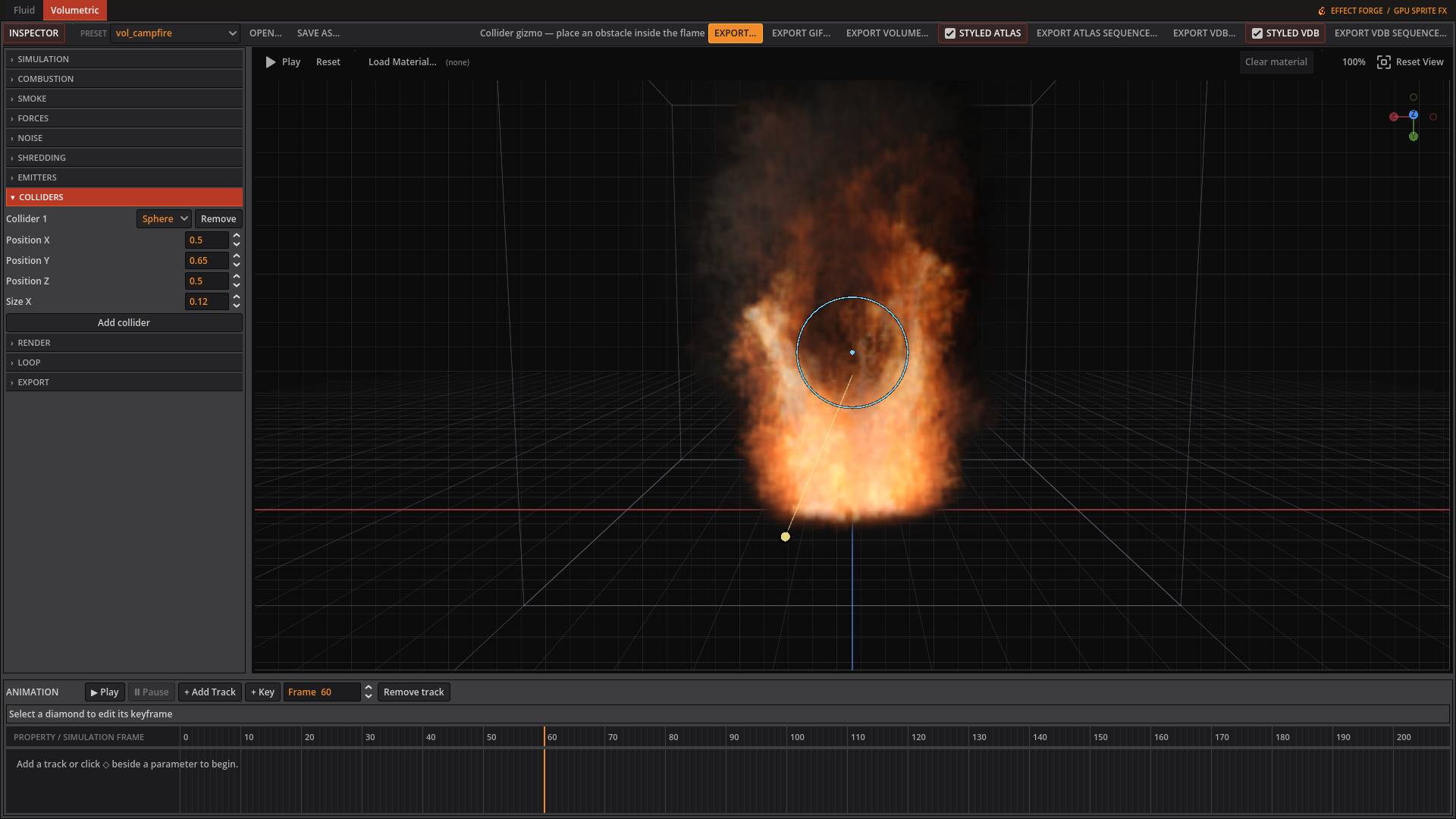 Drag the circle’s centre or inside its outline to reposition the sphere collider.
Fire colour and keyframes
The fire gradient editor lets you add or remove stops and change each stop’s position and colour. Flame temp min/max map simulated temperature across that gradient. The small diamond beside an animatable inspector row adds a key at the current frame; a filled diamond marks a key there. The timeline’s + Add Track, + Key, and key diamonds let you edit the curve. Reset and replay when changing simulation history.
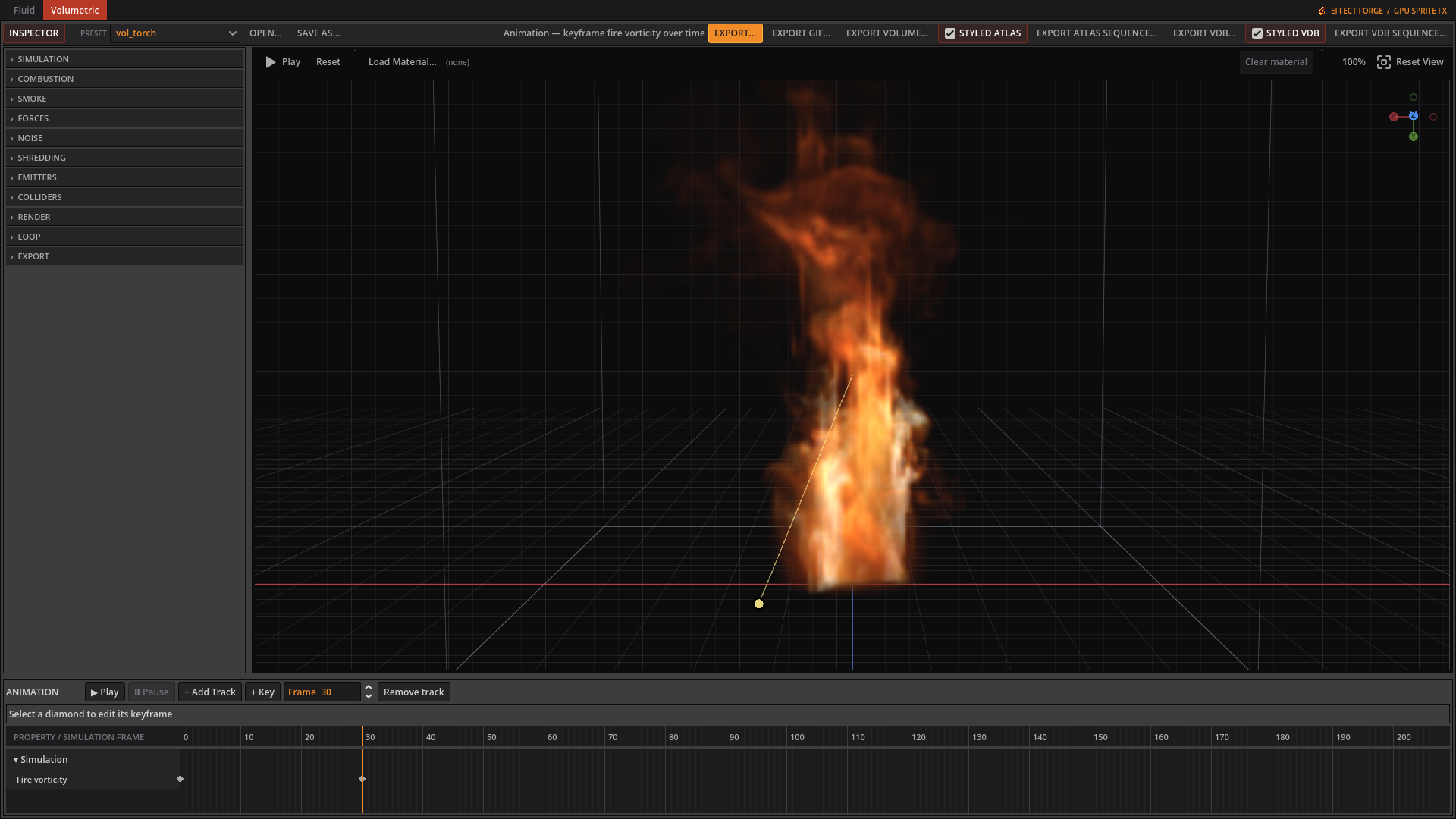 The Fire vorticity track shows keyed values beneath the torch preview.
Making a muzzle flash
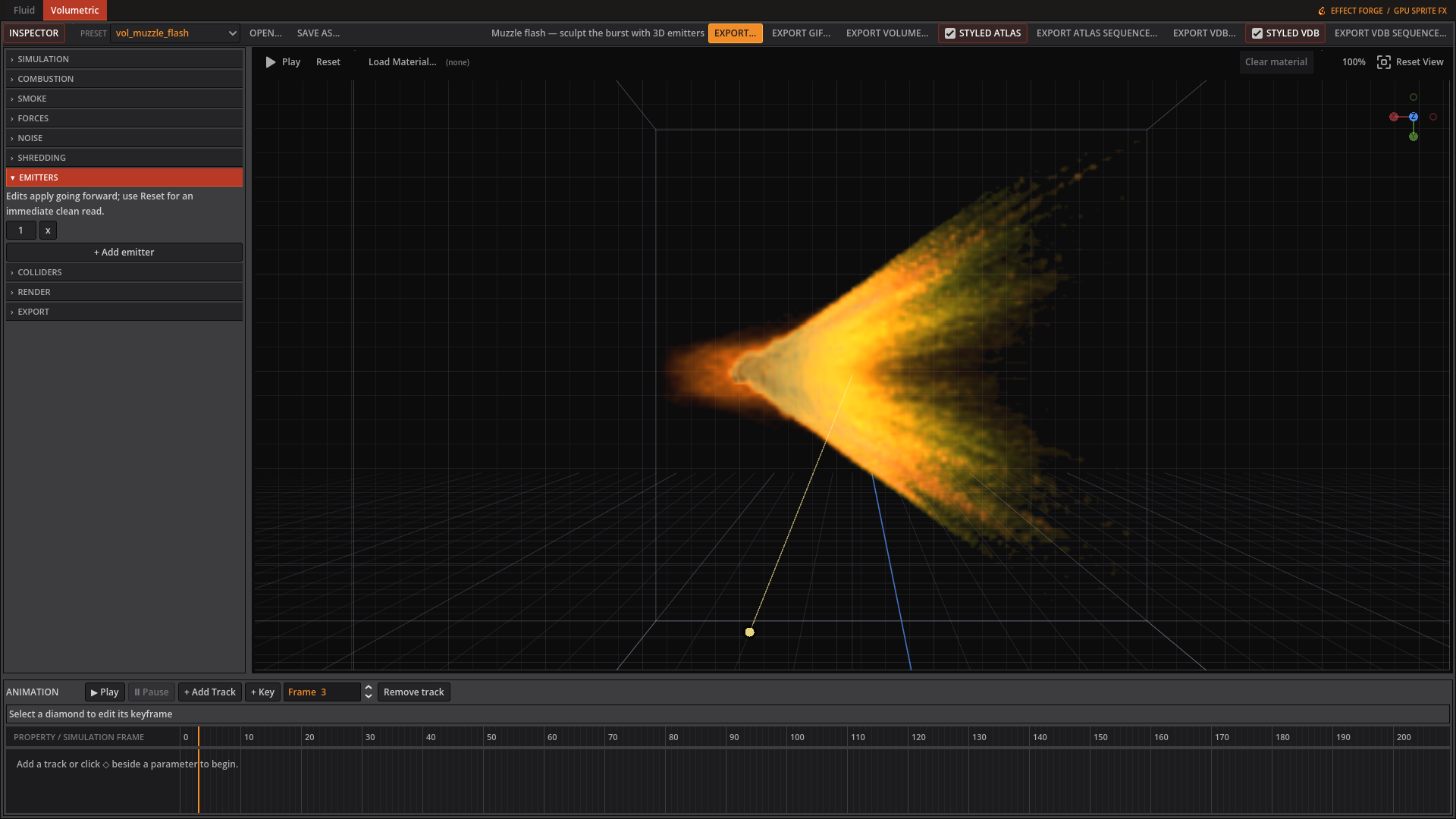 The Emitters tab shows the source settings for this muzzle-flash preset.
- Load
vol_muzzle_flash.jsonfrom the bundled presets. It uses a one-shot Burst lasting 0.016 seconds and 20,000 particles. Particle jitter and impulse spread hot material into streaks instead of a smooth deposited blob. - Keep Smoke albedo at 0.0. This leaves the smoke unlit, so the short flame dominates the flash. Flame temp min/max are 0.5 and 3.0 in this preset: they place the solver’s heat within the gradient rather than treating it as Kelvin.
- Flames sharpening (1.5) concentrates the hot shape; Smoke sharpening (1.0) cuts thin haze. Motion blur (1.5) smears matter along its velocity before rendering and lengthens the fast streaks.
- Compare
vol_muzzle_handgun.jsonandvol_muzzle_machinegun.json. The latter sets Burst repeat to 4 frames for a repeating firing cycle; the single flash uses 0.